AI Document Processing: How Generative AI Automates Document Workflows


💡In short: AI document processing uses machine learning and generative AI to read documents in any format, pull out the data that matters, check it, and send it into the systems where work happens. Unlike template-based OCR, generative AI handles messy, unstructured files without setting up rules for every layout.
In this article
- What is AI document processing?
- How does AI improve document processing?
- AI document processing benefits for businesses
- AI document processing in practice: five real projects
- How to automate document processing with AI
- How to choose the right approach for your documents
- When AI document processing doesn't work
- FAQ
What is AI document processing?
AI document processing is the use of artificial intelligence to read, understand, and act on business documents: invoices, quotations, contracts, loan files, RFIs, policies, and forms. It replaces the step where a person opens a file, finds the relevant fields, and retypes them into another system.
A complete AI-powered intelligent document processing (IDP) workflow does four things:
- Captures documents from email, portals, uploads, or shared drives, in any format.
- Understands them: classifies the document type and extracts fields, tables, and meaning.
- Validates the output against business rules, source systems, or a human reviewer.
- Acts on the result: updates an ERP or CRM, drafts a response, or triggers the next step.
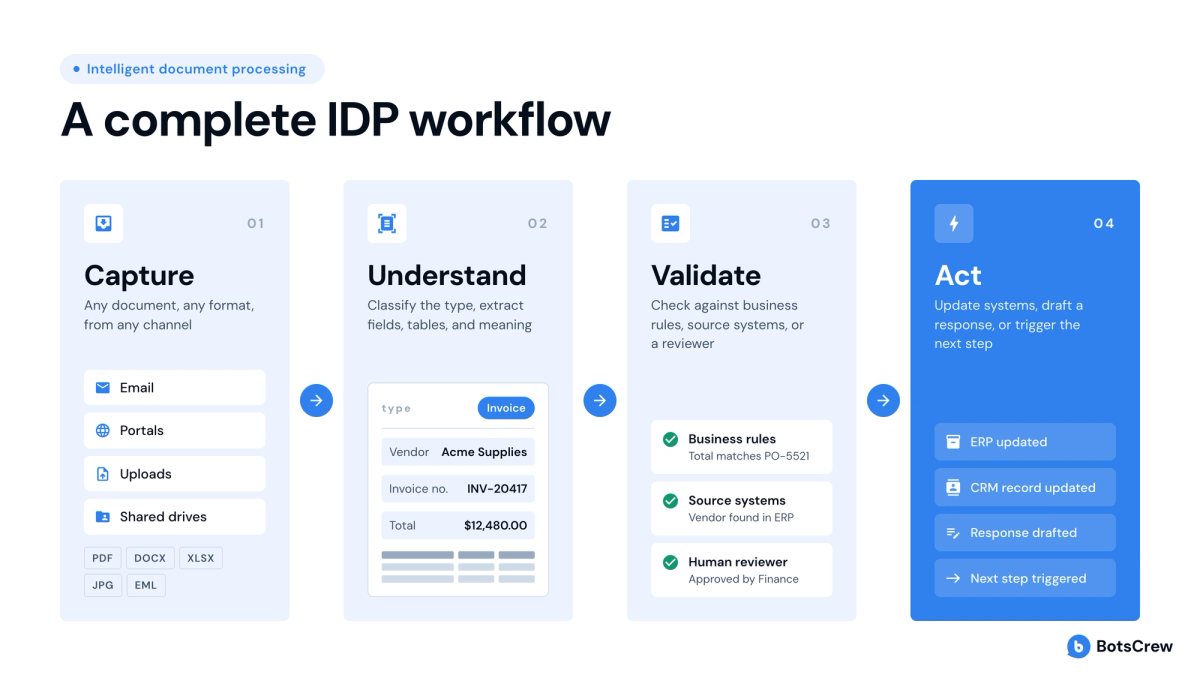
Earlier generations of document automation handled the first two steps only for predictable, structured files. Generative AI for document processing extends all four steps to unstructured content: free-text emails, scanned PDFs with unusual layouts, long policy documents, and questionnaires where the same question is phrased a hundred different ways.
How does AI improve document processing?
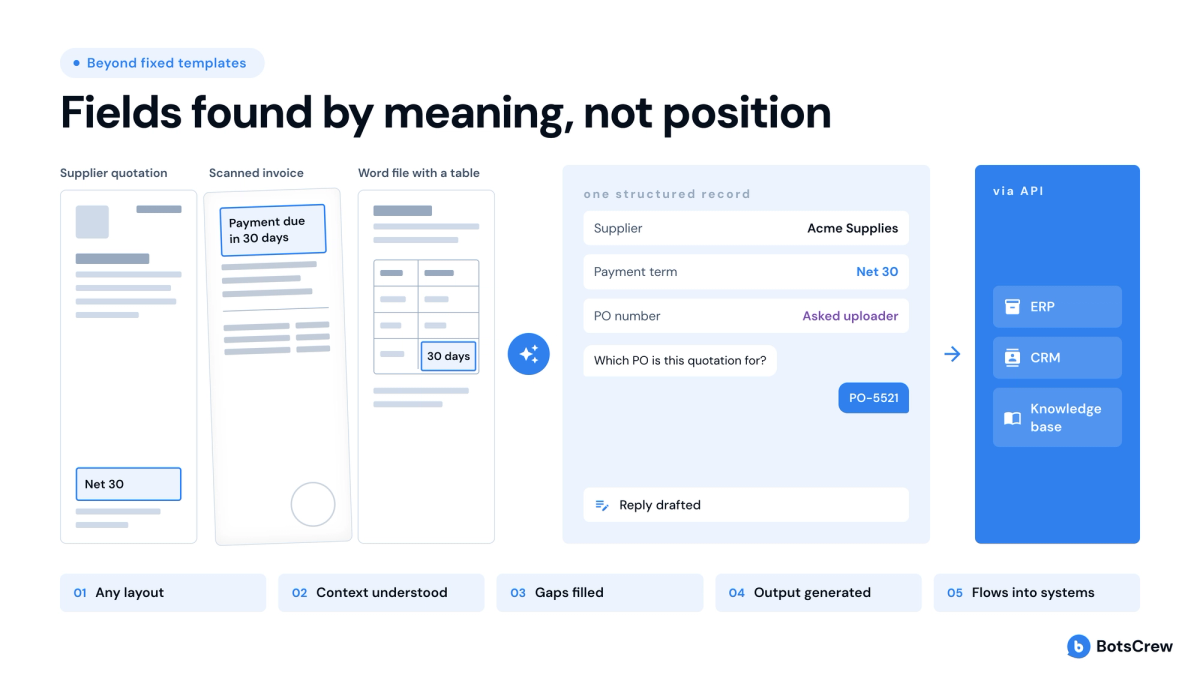
AI improves document processing by removing the dependency on fixed templates. Traditional automation works when every document looks the same. AI reads documents the way a trained employee does: it finds the fields by meaning, not by position on the page.
In practice, that changes five things:
- Layout no longer matters. A supplier quotation, a scanned invoice, and a Word file with a table can all go through the same pipeline.
- Context is understood. AI can tell that "net 30" is a payment term, or that two differently worded questions ask the same thing.
- Gaps get filled, not skipped. When a field is missing or unclear, a conversational AI agent can ask the person who uploaded the file instead of failing silently.
- Output can be generated, not just extracted. Generative AI can draft a response, a summary, or a new document from the source material.
- Results flow into systems. Extracted and confirmed data goes straight into the ERP, CRM, or knowledge base via API.
AI document processing benefits for businesses
The main business benefit of AI document processing is shorter cycle time on work that is blocked by reading and retyping. Cost, accuracy, and scale gains follow from that. Behind those numbers sit five recurring benefits:
- Faster turnaround. Requests, quotes, and applications move the same day instead of waiting in a queue.
- Lower cost per document. Skilled staff stop doing data entry and spend their time on exceptions and clients.
- Fewer errors. Validation rules and human confirmation catch mistakes before they reach the ERP.
- Scale without proportional hiring. One mortgage CRM and processing platform built by BotsCrew is used by 468 loan officers every day.
- Consistency and traceability. A single, versioned knowledge base means every RFI or policy answer comes from the same approved source.
AI document processing in practice: five real projects
These five BotsCrew projects show what AI document processing looks like across procurement, marketing services, manufacturing, mortgage lending, and law. Each one solved a different document problem, and each taught a different lesson.
Procurement: reading supplier quotations and filing them in the ERP
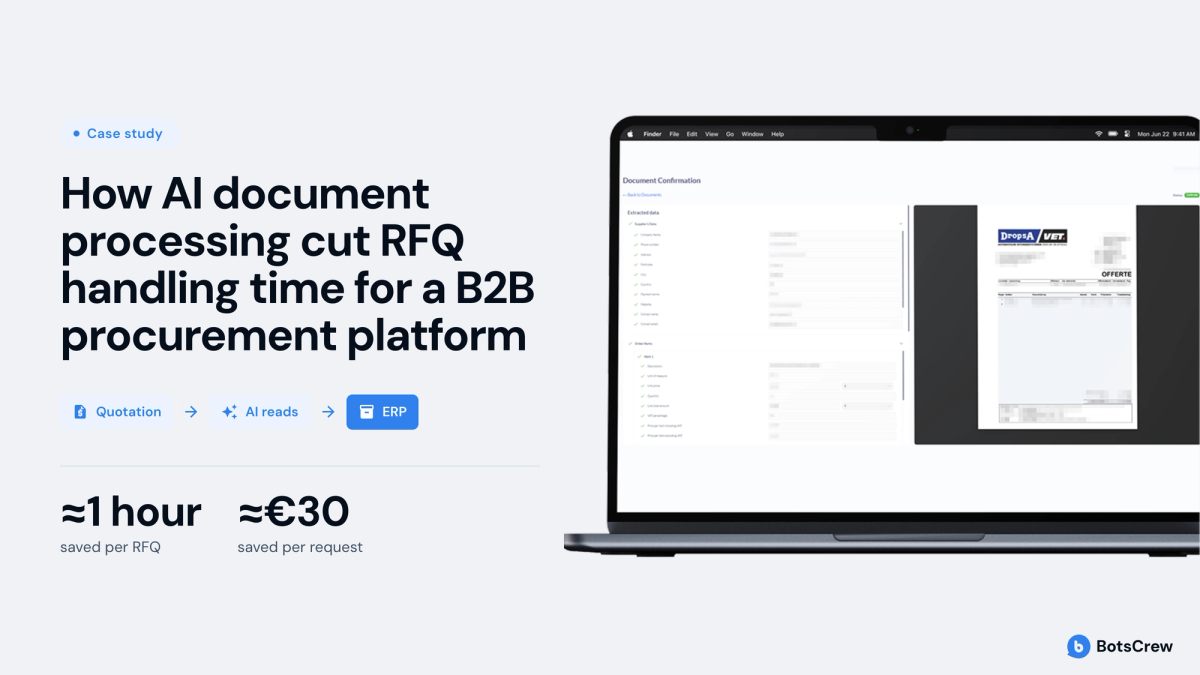
The problem. A global B2B procurement platform required customers to retype supplier quotation PDFs into a request-for-quotation (RFQ) form. Each RFQ took about 3 hours of manual work and cost an estimated €70–105 to process.
What was built. A conversational AI assistant inside the customer portal. The customer drops in a quotation PDF. The assistant extracts item, quantity, price, transport cost, and supplier details, then walks the customer through confirming each field. Confirmed data goes to the Microsoft Navision ERP as XML via API.
The result. Up to about 1 hour saved per RFQ compared with fully manual entry, worth an estimated €30 in labor per request. Extraction accuracy on real supplier PDFs reached an estimated 90%+, validated during the proof of concept, and customers no longer retype quotations before an order can move forward.
The lesson. During discovery, BotsCrew tested a dedicated OCR tool configured for order forms against converting each page to an image and reading it with GPT-4o. On the hardest sample documents, the GPT-4o approach came out ahead without a separate OCR license, so it was recommended for production. Supplier contact details were the field most often missed, so the assistant asks for them directly in chat. If extraction fails entirely, the customer falls back to the manual form.
Marketing services: answering RFIs from a shared knowledge base
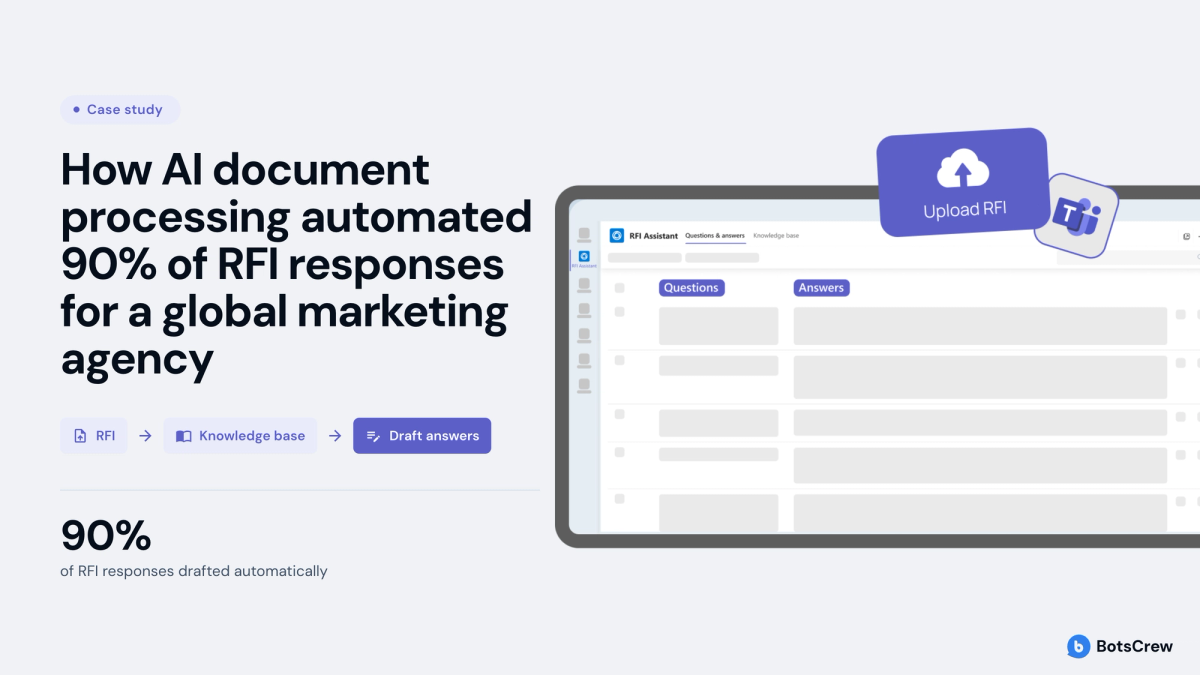
The problem. A global marketing communications agency answered requests for information (RFIs) by hand. A typical RFI had 50+ detailed questions, and the same 100+ questions recurred across RFIs in different wording.
What was built. An RFI assistant embedded in Microsoft Teams. Users upload a blank RFI, and the assistant drafts answers from a Q&A knowledge base of 2,000+ entries. Users can edit, regenerate, or save improved answers back to the knowledge base.
The result. Over 90% of RFI responses are now drafted automatically, from one approved knowledge base of 2,000+ answers. Every completed RFI and Q&A pair is stored, so teams can trace where each answer came from.
The lesson. Input formats were the hardest part. RFIs arrived as screenshots, presentations, and complex tables, so the team added a dedicated document parser before the AI layer. Letting users edit answers and save them back keeps the knowledge base improving with every RFI.
Manufacturing: an internal assistant across 1,000+ documents
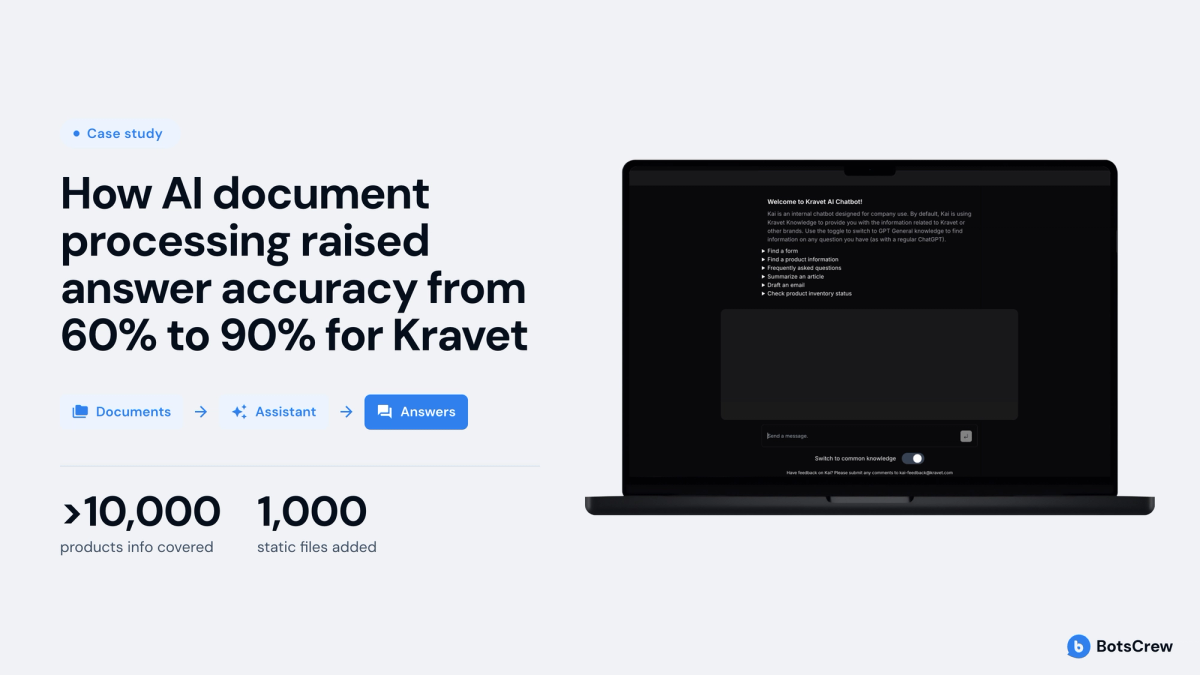
The problem. Kravet, the world's largest manufacturer of luxury fabrics and furnishings, needed one assistant for 10,000+ product records and 1,000+ documents on sales, operations, supply chain, and HR. Many documents were outdated or conflicting.
What was built. An internal AI assistant. The first prototype shipped in 3 weeks.
The result. Answer accuracy rose from 60% to nearly 90%. Employees get details on 10,000+ products, real-time stock levels and delivery estimates in one place, and the assistant can draft a client email from what it finds. Jesse Lazarus, Chief Technology Officer at Kravet, described the collaboration this way: "It made our team feel like we were truly partnered on our project."
The lesson. Route questions by type. Product questions went to the eCommerce search API by SKU, stock questions to the inventory system, and only open questions to retrieval-augmented generation over cleansed documents.
Mortgage lending: automating the loan file workflow
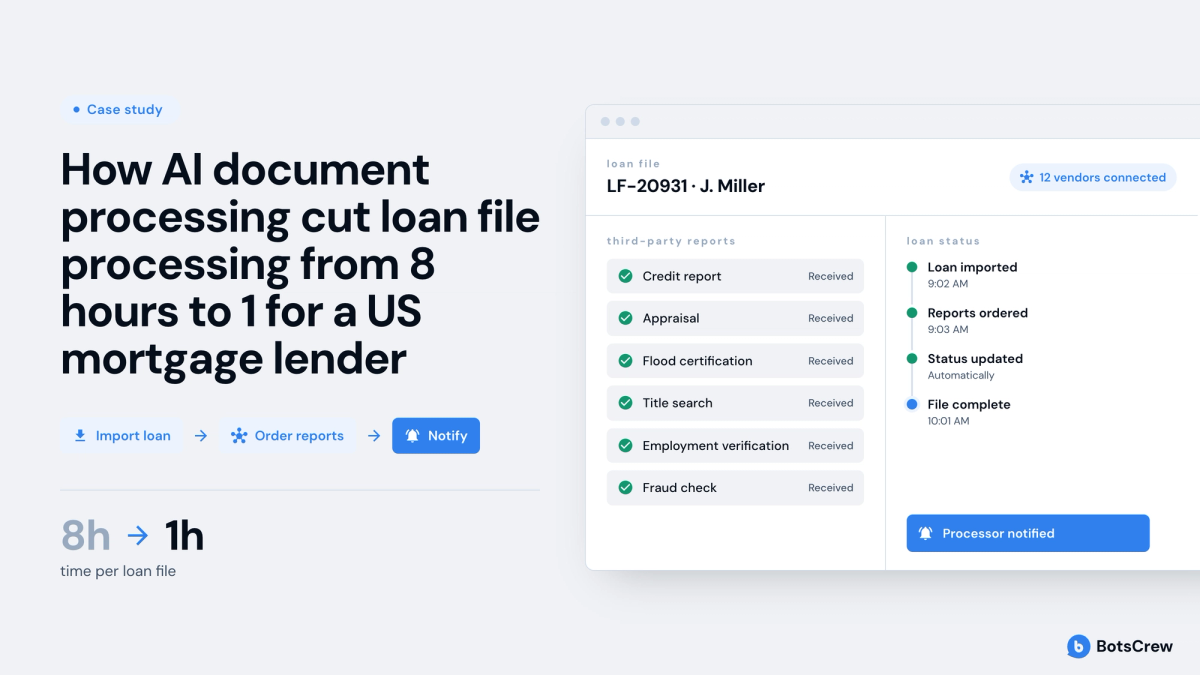
The problem. A US mortgage lender's processors spent most of their time assembling and checking documents, scores, and vendor reports for each loan file.
What was built. BotsCrew built a CRM that pulls data from 12 vendors in one place, and a processing platform that imports loans, orders third-party reports, updates loan status automatically, and notifies processors when a file is complete.
The result. Processing time per loan file fell from 8 hours to 1 hour, and 468 loan officers use the CRM every day.
The lesson. The biggest time savings came from orchestration, not reading: ordering third-party reports, tracking status, and notifying people automatically.
Legal services: generating documents and answering legal questions
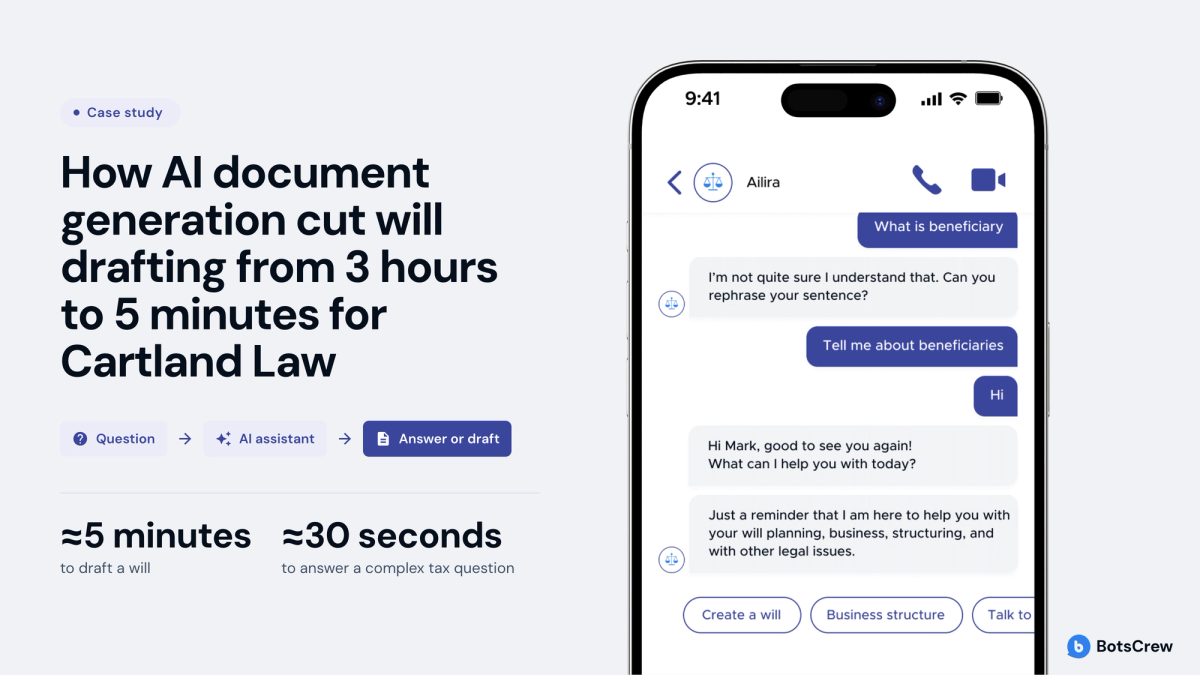
The problem. Cartland Law, an Australian tax and commercial law firm, saw lawyers spending large parts of their day on repeatable research and document drafting.
What was built. Ailira, an AI legal information assistant that answers questions on Australian law in plain English and generates documents such as wills and business setup paperwork.
The result. Ailira drafts a will in up to 5 minutes, versus about 3 hours for a lawyer. In an ABC News test, it answered a complex tax question in 30 seconds while a paralegal needed more than 10 minutes.
The lesson. Generation needs an exit to a human. Ailira can book a call with a human lawyer to review generated documents or handle complex cases, which keeps automation safe for both junior lawyers and the public.
How to automate document processing with AI
To automate document processing with AI, start with one high-cost process, test extraction on your worst documents, and design validation and system integration before scaling. The seven steps below follow the order that holds up in production.
- Pick one process with a measurable cost. Choose a workflow where you can count documents per month, minutes per document, and error or rework rate. Record that baseline before any build starts.
- Collect a representative sample that includes the complex files. Include scans, photos, unusual layouts, and incomplete documents. Gartner's guidance on AI-ready data (2025) is explicit: data must represent every pattern, error, and outlier the AI will meet in real use.
- Test extraction approaches side by side. Compare a template or OCR tool against a generative AI approach on the hardest 10–20% of documents, not the average ones. Measure field-level accuracy and licensing cost.
- Design validation before the interface. Decide which fields need business-rule checks, which need a person to confirm, and what confidence level triggers review. A human-in-the-loop design keeps errors out of the ERP without sending every document back to manual work.
- Connect to the system of record. Data that stops at a spreadsheet still needs someone to move it. Push confirmed output into the ERP, CRM, or knowledge base via API, and reuse existing logins and permissions.
- Build the fallback path. When extraction fails, the user should land in a manual form or a review queue, not a dead end.
- Pilot, measure, then expand. Run the pilot against the baseline from step 1. Expand to new document types only when accuracy and time savings hold on live volume. Our guide to moving from AI pilot to production covers this stage in detail.
How to choose the right approach for your documents
The right approach depends on how much your documents vary, what happens when a field is wrong, and where the data needs to end up. Evaluate a process on these six criteria before choosing a tool or a partner:
- Format variability. How many different layouts arrive for the same document type?
- Content type. Do you need specific fields, or the meaning of free text?
- Volume. How many documents per month, and how predictable is the flow?
- Cost of an error. Is a wrong value a typo to fix, or a compliance or financial risk?
- Destination. Does output need to land in an ERP, CRM, or knowledge base automatically?
- Data sensitivity. Do permissions, GDPR, or industry regulation limit what the AI can see and store?
If you are unsure whether a process needs AI at all, our comparison of AI agents and rule-based automation walks through the cost trade-off.
When AI document processing doesn't work
AI document processing fails most often because of the data and the workflow around it, not the model. Gartner predicts that through 2026, organizations will abandon 60% of AI projects unsupported by AI-ready data. Its 2024 survey of 1,203 data management leaders found that 63% lack, or are unsure they have, the right data practices for AI (Gartner, 2025).
Watch for these four warning signs:
- The source documents contradict each other. If policies, price lists, or specs are outdated or duplicated, the AI will repeat the conflict with confidence. Cleaning the data comes first.
- There is no validation step. Without confirmation or business-rule checks, an extraction error goes straight into the ERP and spreads downstream.
- Output stops at a new screen. If someone still copies results into another system, the process has moved, not shrunk.
- Volume is too low or forms never change. A few dozen documents a month, or millions of identical forms, often don't justify a generative AI build.
If several of these apply, start with data preparation and process mapping before choosing a model.
FAQ
- What is AI document processing?
AI document processing is the use of artificial intelligence to read business documents, extract and validate the information in them, and pass it to the systems where work happens. It covers invoices, quotations, contracts, forms, and questionnaires in any format. Generative AI extends it to unstructured text and to drafting new content, such as answers or summaries.
- What is the difference between OCR and AI document processing?
OCR converts images of text into machine-readable characters; AI document processing understands what that text means. OCR tells you what is written on the page. AI identifies which value is the price, which is the supplier, and whether anything is missing. Many AI systems still use OCR as a first step, then add classification, extraction, validation, and integration.
- How accurate is AI document processing?
Accuracy of 90% or more is realistic on real business documents when the system includes validation. In BotsCrew projects, supplier quotation extraction reached an estimated 90%+ during proof of concept, and an internal assistant rose from 60% to nearly 90% after query routing and data cleanup. Accuracy depends most on document quality and whether exact lookups go to databases.
- How much does AI document processing cost?
Cost depends on the number of document types, monthly volume, and the depth of system integration. A single document type with a portal upload costs far less than a multi-format pipeline feeding an ERP. Compare it with your baseline cost per document to judge payback.
- How long does it take to implement AI document processing?
A working prototype on real documents can be ready in about 3 weeks, as it was for Kravet's internal assistant. Production timelines depend on integrations, validation flows, and security review. [fill: typical time from prototype to production — confirm with delivery lead] Starting with one document type shortens the path to measurable results.
- Is generative AI document processing secure and compliant?
It can be, if security is designed into the system rather than added later. Common controls include permission-based access so users only see documents they are cleared for, GDPR-aligned data handling, and logs that trace each answer to its source. Regulated industries should also keep human review on high-risk fields and decisions.
- Do you still need people in an AI document workflow?
Yes, but in a different role. People stop retyping and start handling exceptions: confirming uncertain fields, reviewing generated drafts, and resolving conflicts in source data. In well-designed systems, the AI asks for help only on the specific field it is unsure about, so review takes minutes instead of hours.
Where to start with AI document workflow automation
AI document processing pays off when it removes a real bottleneck: a queue of files that skilled people read and retype every day. The technology now handles messy layouts and unstructured text well. The difference between a demo and a working system is the work around the model: representative data, validation, integration, and a clear path for exceptions.
The practical first step is to pick one document-heavy process, measure what it costs today, and test AI on your hardest files. BotsCrew, an Enterprise AI Transformation Partner, has shipped 200+ AI projects since 2016, from discovery through production-grade enterprise AI solutions. If you are weighing where AI document processing fits in your operations, our team can help you scope the first use case and its expected return.
The gap between a demo and a system your team uses every day is validation, integration, and a clear path for exceptions. BotsCrew builds all three, from discovery to production. Start with one process, and we’ll help you measure its cost today and the return AI could deliver.
Contact Us